For Educational Purposes Only

A calm starting point

What Is IPTV?

Television delivered over an internet connection instead of a traditional cable or satellite feed.

This guide explains the technology, the player apps that can read your own legitimate access, and the warning signs worth knowing before you begin.

Start with the simple version

01 / The short version

IPTV in Plain English

IPTV stands for Internet Protocol Television. It is a way for television channels and on-demand video to travel across an internet connection. The technology is neutral: what matters is whether you have permission to access the content.

1 · SourceAn authorized service or your own media library sends the content.
2 · InternetThe stream travels to you over a connection, like other online video.
3 · Player appA player organizes the channels, video, and guide on your device.

Live TV

Channels that play in real time, with a guide to see what is on now and next.

Video on demand

A catalog of shows or films that you start when you choose, if your authorized service includes them.

EPG

An electronic program guide, often supplied separately as XMLTV data, that lines up titles and times.

A player is an app, not a television service. It does not automatically include channels or content.

02 / The information

What Your Provider May Send You

A legitimate service may give you one of these connection methods. The labels vary by app, but the idea stays the same: you add access you already have; the player does not create it.

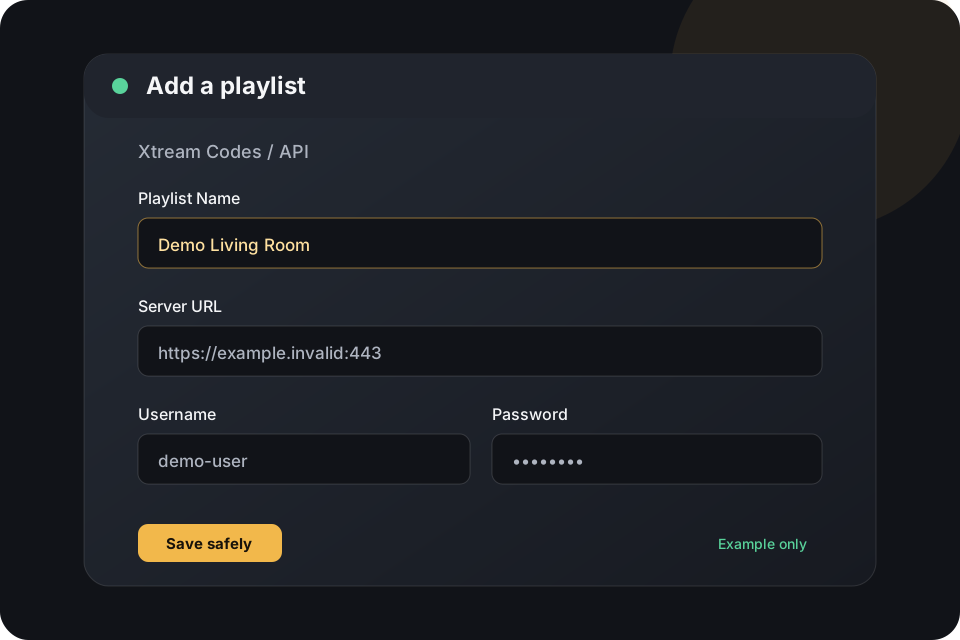
Xtream Codes / API

Usually three pieces: a server URL, a username, and a password.

https://example.invalid:443
demo-user · ••••••••

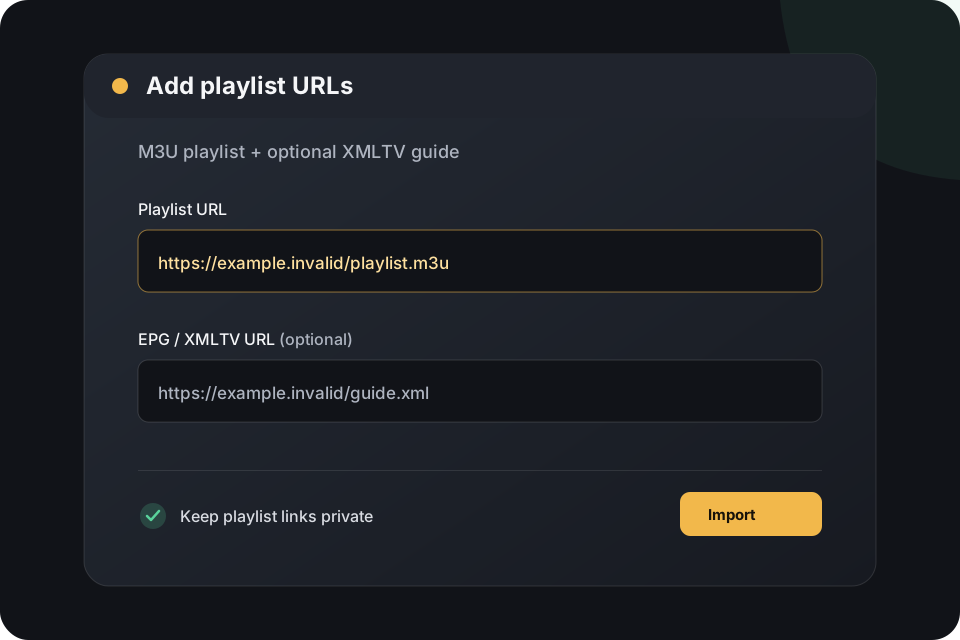
M3U / M3U8

A playlist URL containing channel or media entries. Treat the URL like a password.

https://example.invalid/playlist.m3u

XMLTV / EPG

An optional guide URL that adds program names, times, and descriptions.

https://example.invalid/guide.xml
Credential privacy rule: never paste a real playlist URL or password into a screenshot, support chat, public post, or this page. We never collect or store IPTV credentials.

03 / Before you install

Stay Safe Online

Good setup should feel boring

Use official app stores and publisher websites. Stop when a seller creates pressure, asks for unusual access, or wants information that does not belong in a player.

  • Avoid unsolicited social-media sellers, urgency tactics, and “act now” pressure.
  • Be skeptical of implausible channel counts, guaranteed uptime, and “lifetime” access.
  • Do not install APKs from random file lockers or shortened URLs.
  • Never give a seller remote-control access to your phone, computer, router, or television.
  • Do not reuse your email password as an IPTV password.
  • Prefer official app stores and publisher websites for player installation.
  • Test a short legitimate trial before making a longer commitment.
  • Understand simultaneous-stream limits before sharing an account.
If a payment request or identity check feels unsafe, stop. You do not need to keep troubleshooting a service that makes you uncomfortable.

04 / Choose the app

Choose a Trusted Player

These are player applications, not content providers. They organize access you already have. Check the publisher page for current availability and features before installing.

Filter by the device you want to use

iMPlayer

Apple TV · iPhone/iPad · Android phone/tablet · Android/Google TV · Fire TV

The broadest device coverage here, with dedicated Apple and Android installation guides plus a complete help center.

UHF

Apple TV · iPhone/iPad · Mac

Apple-only player with an official site covering its supported Apple devices and features.

Official site ↗

Chillio

Apple TV · iPhone/iPad · Mac · Android TV

Apple-focused smart player with an official Android TV release and support for Xtream Codes, M3U/M3U8, and XMLTV EPG.

Official site ↗

TiviMate

Android TV · Google TV · Fire TV

Android TV player designed for large screens and remote-control navigation. It is not an Apple app.

Official site ↗

TiviMax

Apple TV · iPhone/iPad · Mac

A similar Apple alternative, but a separate app from a different developer—not an official Apple edition of TiviMate.

App Store ↗

IPTVX

Apple TV · iPhone/iPad · Mac

Apple-only player with a polished interface and current platform details on its official product page.

Official site ↗

No player listed here sells or supplies channel packages. This page does not rank or link to content sellers.

05 / A safe example

Set Up Your Player

App labels differ. Look for the closest wording, keep your real credentials private, and never use an unknown certificate or remote-access tool to make a player work.

Xtream Codes / API

This method normally keeps the server, username, password, and guide connection organized for you.

  1. Install a trusted player from its official publisher or app-store link.
  2. Select Add playlist, Add provider, or the closest app-specific wording.
  3. Choose Xtream Codes/API and enter a friendly playlist name.
  4. Enter the server URL, username, and password supplied to you.
  5. Save, allow the playlist and guide to load, then verify live TV and EPG data.
Original setup illustration showing a fake Xtream Codes form with Playlist Name, Server URL, Username, and masked Password fields
Illustration only. The example values are reserved placeholders, not working access.
Original guide-grid illustration showing generic channels and program times
What success looks like: channel groups load, the guide lines up with times, and a legitimate stream plays without changing device security settings.

06 / Make it comfortable

Choose Your Device

Start with an official app store or publisher site. Availability can change, so use the device’s current store listing and the player’s own instructions.

Apple TV

Install from the tvOS App Store. Compare iMPlayer, UHF, Chillio, TiviMax, and IPTVX from their official pages.

Safer source: Apple TV App Store or the publisher’s official site.

Remote tip: use the Apple TV keyboard or your iPhone to enter longer server details. Do not accept remote control from a seller.

07 / Keep your calm

Common Problems, Simple Fixes

Change one thing at a time. Compare with another legitimate stream or device before assuming the player is the problem.

Login rejected

Recheck the exact server URL, port, username, password, and account status. Watch for trailing spaces or a copied punctuation mark.

Empty playlist

Confirm the service supports the chosen login type. An Xtream login and an M3U playlist are not interchangeable fields.

Missing guide

Add or refresh the XMLTV URL and verify the time-zone setting. Some playlists include guide data; others need a separate URL.

Buffering

Test another legitimate stream, use wired or strong Wi-Fi, stop simultaneous streams, and compare with another device before blaming the app.

Works on one device only

Check the provider’s connection limit and confirm the same account is not already playing elsewhere.

New account does not appear

Restart the app and refresh the playlist. If it still does not appear, ask the service for help through its normal support channel.

  • Never disable device security to install a player.
  • Never install unknown certificates to “fix” playback.
  • Never expose router ports or hand over remote access as a troubleshooting step.